

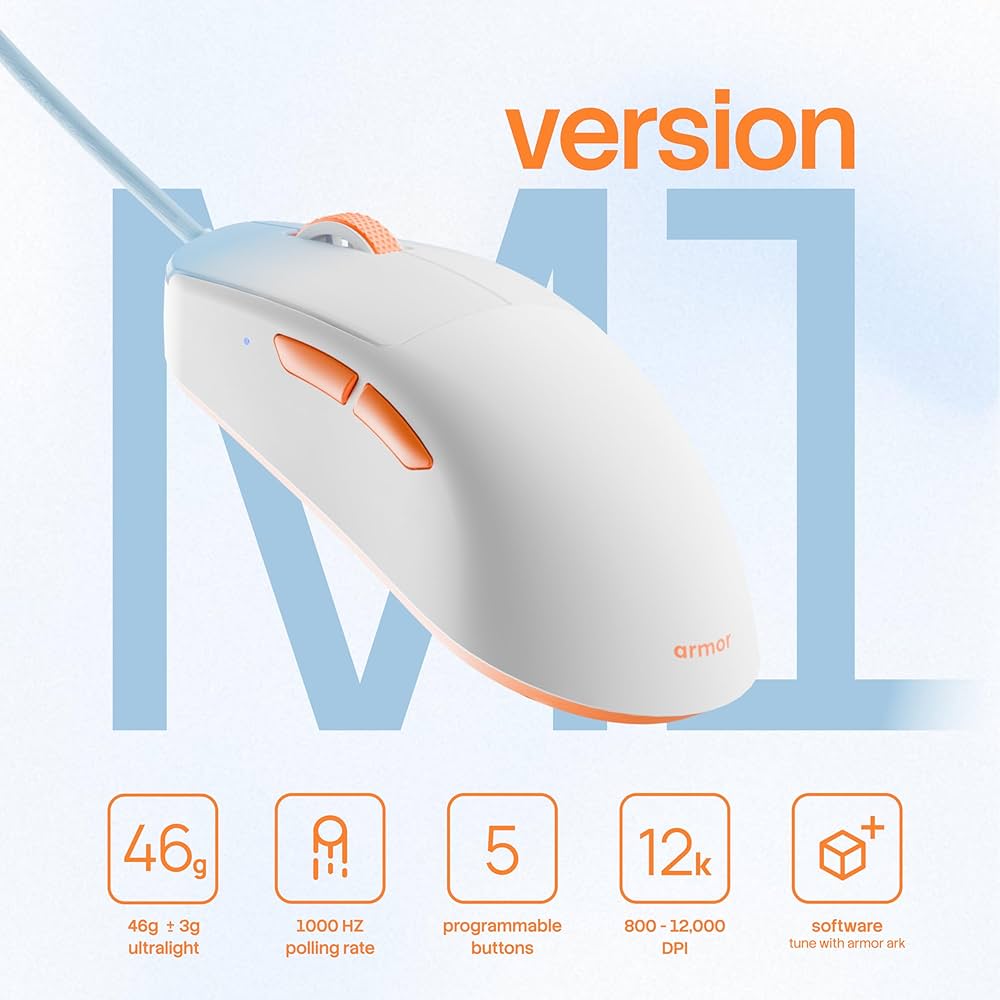
If you’ve been grinding ranked matches with a heavy, sluggish mouse, you already know the feeling — your aim is sharp, but the hardware is holding you back. Most gamers focus on reaction time and game sense, but overlook the one piece of hardware that literally touches every action they take. In this guide, we’ll break down everything about the Armor M1 mouse by MythPat — what makes it special, who it’s built for, and whether it’s the right ultralight upgrade for your setup.
Key Takeaways
- The Armor M1 weighs just 46g (±3g) — achieved through its patented Airframe construction, not hollow shell design, making it one of the lightest wired gaming mice under ₹2,000.
- The PAW 3327 optical sensor tracks at up to 220 IPS and supports DPI ranges from 800 to 12,000, covering every play style from slow tactical snipers to fast-twitch flick shooters.
- A 1000Hz polling rate means the mouse reports its position to your PC 1,000 times per second — critical for reducing input lag in fast-paced competitive games.
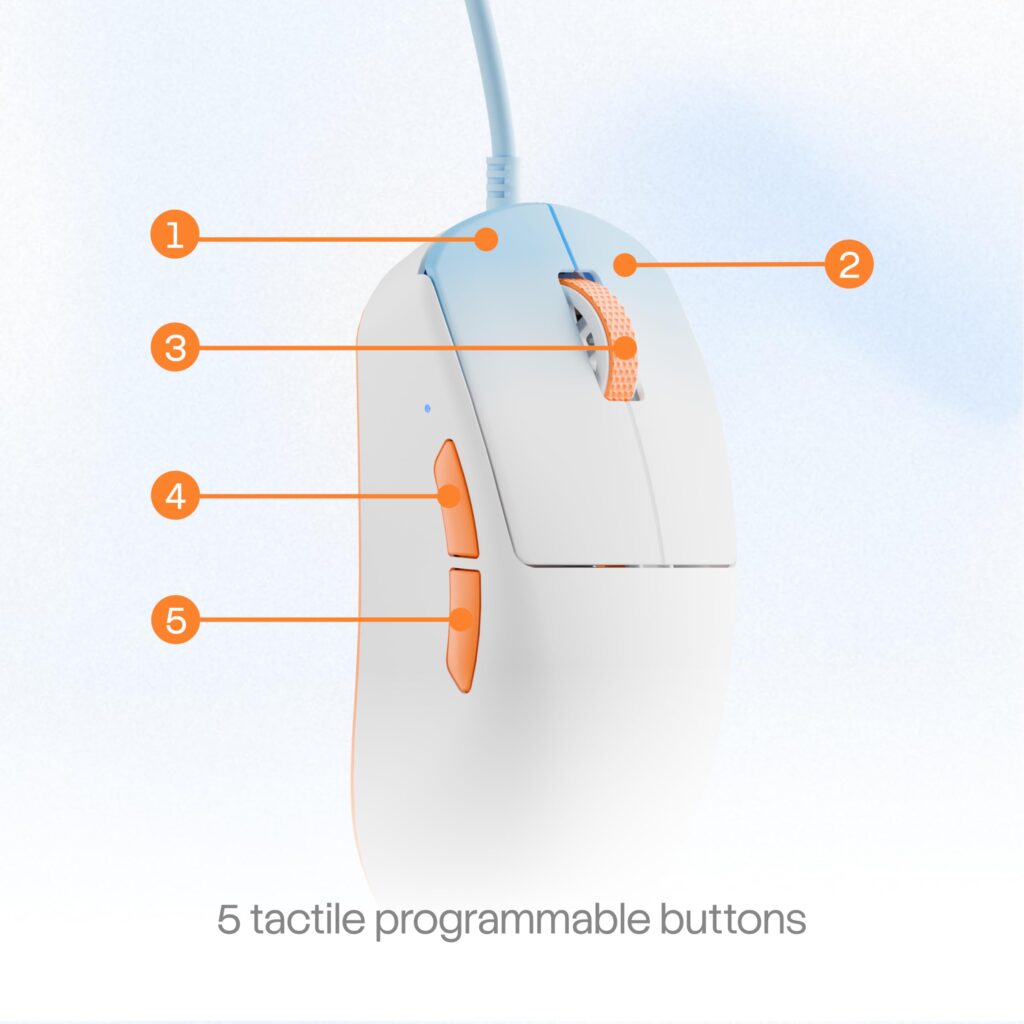
- Five programmable buttons and full software control via Armor ARK let you build game-specific profiles and switch between them instantly.
- At ₹1,599, the Armor M1 delivers competitive-grade hardware at a price that undercuts most ultralight mice by 3x to 5x.
- The Huano 20M main switches guarantee 20 million click cycles — outlasting most gaming lifespans without any wobble or double-click degradation.
- Right-hand ergonomics support claw, palm, and hybrid grip styles — making this a versatile choice for most hand shapes and grip preferences.
What Is the Armor M1 Mouse by MythPat?
The Armor M1 is a wired ultralight gaming mouse designed and launched by MythPat (Mitesh Rajwani), one of India’s most popular gaming content creators, under the Armor peripheral brand. It weighs 46 grams without a cable — placing it firmly in the ultralight category that professional esports players and competitive FPS gamers prefer. The M1 uses a PAW 3327 optical sensor, a 1.8m paracord cable, and PTFE feet for near-frictionless glide across most mousepads.
The “Version M1” branding signals this as the first entry point in the Armor mouse lineup — built around one core philosophy: reduce mass, elevate control. Unlike budget mice that simply offer lower weight through plastic cost-cutting, the M1 uses an Airframe construction to maintain structural integrity while shedding grams. It’s available exclusively through Armor’s official store and is priced at ₹1,599 — a deliberately accessible price point for the Indian gaming community.
Why Ultralight Gaming Mice Matter for Competitive Play
Ultralight gaming mice matter because mouse mass directly affects how quickly and accurately you can move your cursor during fast, reactive play. Every gram of unnecessary weight requires more muscle effort to start, stop, and redirect — and in a game where milliseconds decide outcomes, that physical drag compounds into missed flicks and imprecise tracking.
Research into esports hardware trends consistently shows that professional players across titles like Valorant, CS2, and Apex Legends have shifted toward sub-80g mice over the past four years. Many pros now use mice in the 40–60g range.
For the everyday competitive gamer, the benefit is equally real. A lighter mouse reduces wrist and forearm fatigue, which means your aim stays consistent over a two-hour session rather than degrading as muscles tire. This is especially important for Indian gamers who often play long evening sessions after school or work.
Moreover, the Armor M1’s paracord cable adds zero meaningful drag. Paracord cables mimic a wireless feel by eliminating the stiff, rubberized resistance of traditional cables. The result is a wired mouse that behaves like it’s untethered — giving you wireless-like freedom without battery anxiety or latency risk.
Also Read:
How the Armor M1 Airframe Achieves 46 Grams
The Airframe is Armor’s structural approach to weight reduction — a redesigned base architecture that removes material from non-critical zones while preserving rigidity where the shell absorbs grip pressure. This is fundamentally different from honeycomb or perforated shell designs, which create holes through the top and sides of the mouse body.
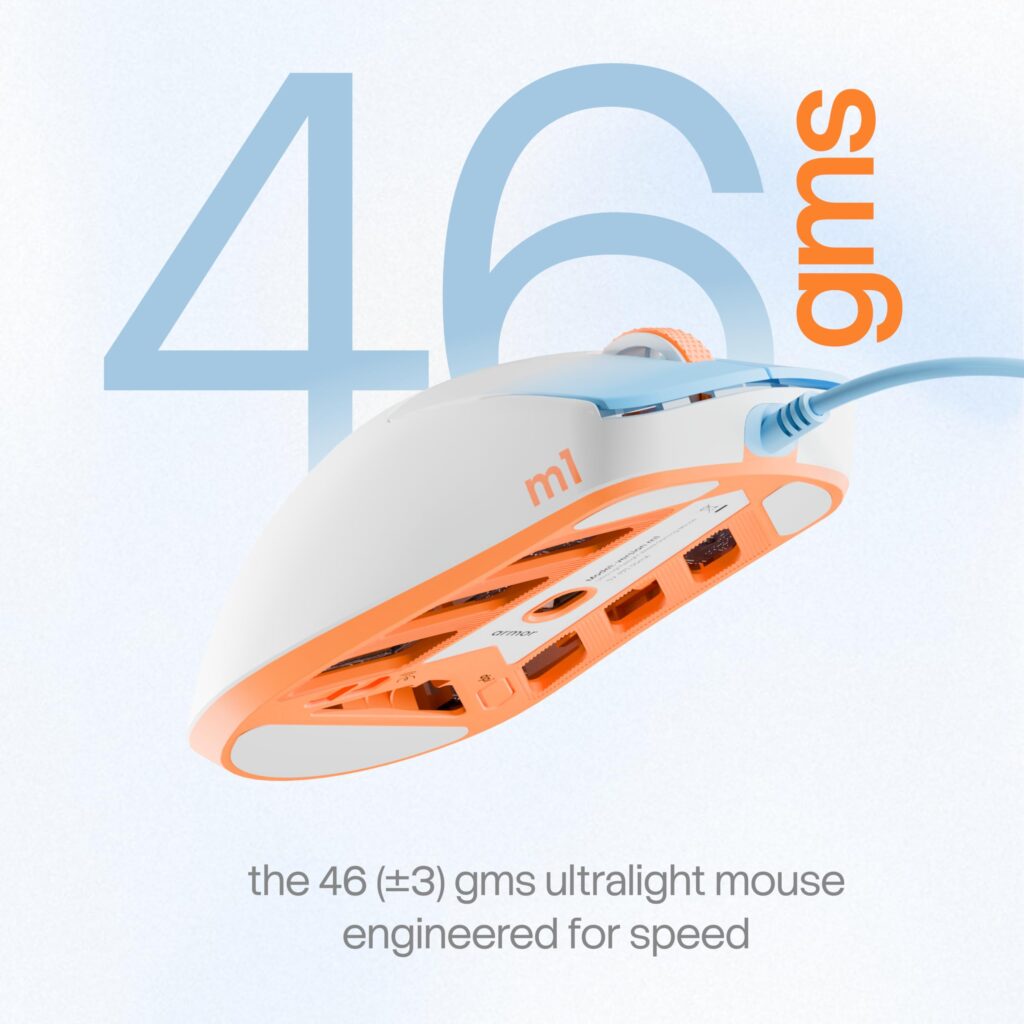
Most ultralight mice in the ₹2,000–₹5,000 range achieve low weight through honeycomb cutouts. Those cutouts have trade-offs: debris accumulation, reduced structural feel, and a visual aesthetic not everyone prefers. The M1’s Airframe keeps the outer shell solid and clean, making it more hygienic, more durable, and visually cleaner than hole-punched alternatives.
Weight vs. Structural Integrity: How Does M1 Compare?
| Mouse | Weight | Shell Type | Price (INR) |
|---|---|---|---|
| Armor M1 | 46g | Solid Airframe | ₹1,599 |
| Glorious Model O | 67g | Honeycomb | ₹4,999+ |
| Razer Viper Mini | 61g | Solid | ₹4,499+ |
| Zowie EC2-C | 73g | Solid | ₹7,000+ |
| Logitech G Pro X Superlight 2 | 60g | Solid | ₹15,000+ |
At 46 grams, the M1 is lighter than every mainstream competitor — and it achieves this at a fraction of the price. For Indian gamers comparing value per gram of performance, the M1 has no direct competition in its price bracket.
Armor M1 Sensor Performance: PAW 3327 Explained
The PAW 3327 is a mid-tier PixArt optical sensor known for clean, linear tracking across a wide DPI range with no acceleration or smoothing artifacts at standard gaming speeds. It’s used in several well-regarded budget-to-mid-range gaming mice and is a trusted choice for players who want predictable, honest sensor output.
Key PAW 3327 specs in the M1:
- DPI range: 800 to 12,000 — switchable across 4 selectable modes
- Tracking speed: 220 IPS maximum — handles fast wrist flicks without losing position
- Polling rate: 125 / 250 / 500 / 1000 Hz — adjustable physically or through software
What Does 1000Hz Polling Rate Actually Mean?
A 1000Hz polling rate means the mouse sends its position data to your PC 1,000 times every second — once every 1 millisecond. At 125Hz (the default on most budget mice), that interval stretches to 8 milliseconds. In a fast-paced FPS where frames are rendered every 4–6ms at 165–240fps, an 8ms polling delay is noticeable lag between hand movement and on-screen response.
By running at 1000Hz, the M1 keeps input latency at its hardware minimum — matching the polling rate of mice that cost three to five times more. For competitive players, this is a non-negotiable specification.
DPI and Sensitivity: What Range Should You Use?
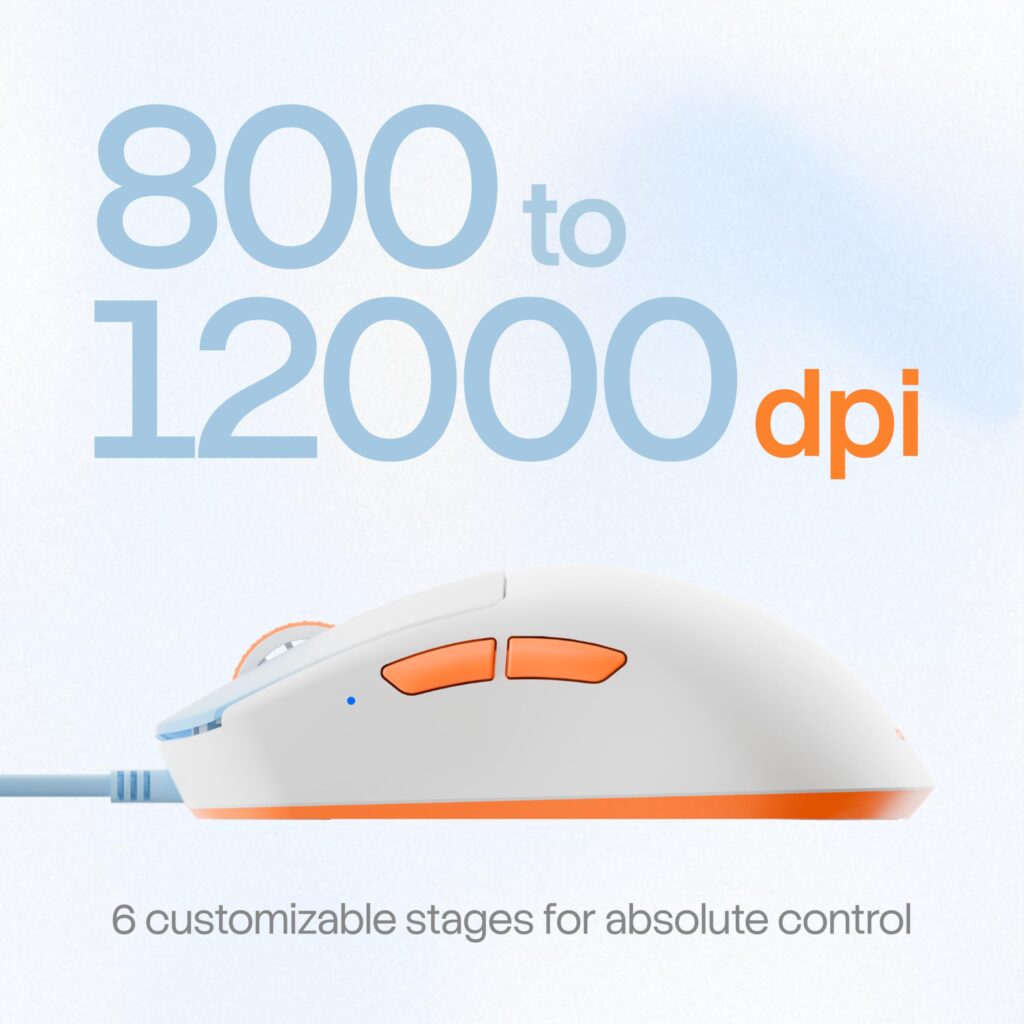
Most competitive FPS players use DPI settings between 400 and 1600 — far below the M1’s maximum of 12,000. The M1’s 800 DPI floor is slightly above the 400 DPI preference of some low-sens players, but for the vast majority of Indian competitive gamers playing at medium-to-high sensitivity, the 800–3200 range covers every practical use case. The 4 selectable DPI modes let you configure those values in Armor ARK software and switch between them on the fly using the DPI button.
Armor M1 Ergonomics and Grip Compatibility
The Armor M1 is designed for right-handed users with a symmetrical-leaning shape sculpted specifically for natural hand positioning. Its dimensions — 119.02mm long × 63.61mm wide × 39.31mm tall — place it in the medium mouse size category, suitable for hand lengths of approximately 17–20cm.
Claw Grip
In a claw grip, only the fingertips and the back-bottom of the palm contact the mouse. The M1’s rear arch height of 39.31mm provides enough lift for fingers to curve comfortably without flattening. Claw grip users benefit most from the M1’s low weight, as rapid lifting and repositioning is easier with less mass to control.
Palm Grip
Palm grip requires the entire hand to rest on the mouse. At 119mm length, the M1 accommodates medium-sized hands in palm grip without the back of the palm overhanging. The Airframe’s solid shell gives palm grip users a firm, stable feeling — without the hollow “plasticky” sensation that honeycomb mice can produce.
Hybrid Grip
Hybrid (or fingertip-palm) grip falls between the two. The M1’s curvature supports this naturally. Long gaming sessions are where the M1’s 46g weight pays off most visibly — reduced cumulative muscle load means your forearm stays fresh longer.
Armor ARK Software: Full Control Over Your M1
Armor ARK is the configuration software for the M1 mouse, available for Windows. It gives you control over every programmable aspect of the hardware — DPI profiles, polling rate, button remapping, and macro assignment.
Key software features:
- DPI profile creation — set up to 4 distinct DPI levels and assign them to the on-the-fly switcher
- Polling rate adjustment — switch between 125, 250, 500, and 1000Hz
- Button remapping — customize all 5 programmable buttons with macros or shortcut actions
- Game presets — save separate configuration profiles per game and switch instantly
- F-Switch encoder — the scroll wheel encoder is rated for 300,000 scroll cycles
Note: Armor ARK is currently Windows-only. Mac and Linux users cannot access software features, though the mouse functions at default settings on any OS.
What’s in the Armor M1 Package?
The M1 package includes the mouse, pre-applied grip tapes, the Armor insignia, and a setup manual. The inclusion of grip tape in the box is a thoughtful addition — most gaming mice charge extra for aftermarket grip solutions. For a ₹1,599 mouse, the out-of-box completeness is commendable.
The 1.8m paracord cable is pre-attached. Its flexible, braided construction minimizes drag and tangles — a direct upgrade over the rubberized cables found on most mice in this price range. PTFE feet (white, 0.6mm) are pre-installed, providing low-friction glide on hard pads and control pads alike.
Who Should Buy the Armor M1?
The Armor M1 is ideal for competitive FPS gamers, students, and first-time buyers upgrading from a basic office mouse. At ₹1,599, it sits at a price where nearly every gamer can afford a genuinely competitive peripheral without compromise.
Specifically, the M1 suits you if:
- You play Valorant, CS2, BGMI, or any precision FPS where mouse weight matters
- You have a right-handed grip (claw, palm, or hybrid)
- You want software control without paying a premium
- You’re upgrading from a ₹500–₹800 office mouse and want a meaningful performance jump
- You’re a MythPat fan who wants gear designed with the same competitive intent he brings to content
The M1 is less suited for left-handed players (no left-hand variant exists yet), or players who specifically need a sub-400 DPI setting.
Where to Buy the Armor M1
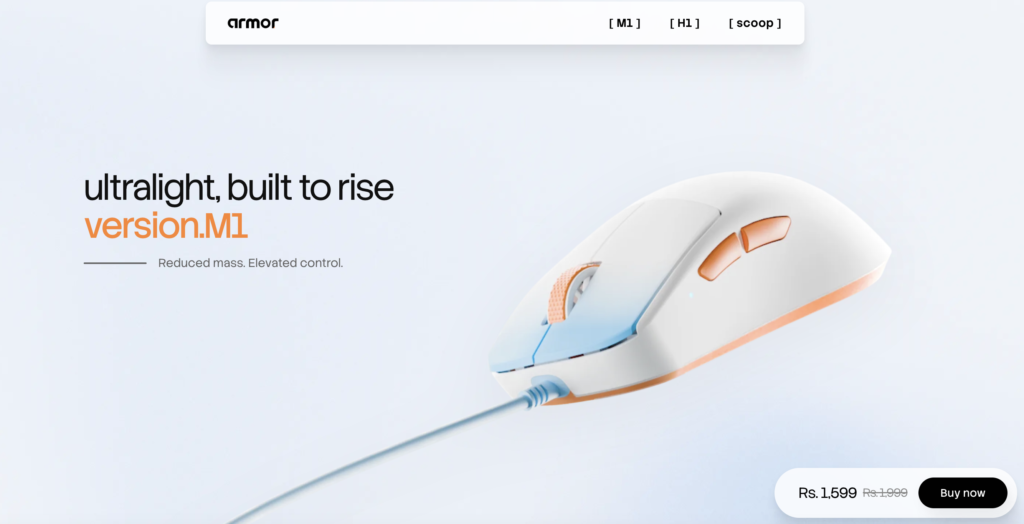
The Armor M1 is available exclusively through Armor’s official online store at ₹1,599. You can purchase it directly from the website. Buying from the official store ensures you receive a genuine product with valid warranty support.
What’s Next After the Armor M1?
Once your M1 is set up, here’s how to get the most out of it:
- Install Armor ARK and configure your DPI presets for each game you play. Start with your current sensitivity and use the 4 profile slots to experiment with lower DPI for aim training.
- Set polling rate to 1000Hz if your PC can handle it. Lower it to 500Hz only if you notice CPU spikes in resource-heavy games.
- Apply the included grip tape to your preference — front only, full cover, or sides-only for different grip styles.
- Run aim training in Aimlabs or KovaaK’s for 15–20 minutes daily. A lighter mouse accelerates improvement by letting your muscle memory develop without fighting hardware resistance.
- Clean the PTFE feet monthly with a dry cloth. Debris buildup under the skates degrades glide over time — especially on fabric pads.
Conclusion
The Armor M1 is a rare thing in Indian gaming: a genuinely competitive ultralight gaming mouse priced for everyone. At 46 grams, a trusted PAW 3327 sensor, 1000Hz polling, and full software customization via Armor ARK — it checks every box that matters for serious FPS play. The Airframe design keeps the shell solid and clean, the Huano switches deliver reliable tactile feedback, and the paracord cable brings the whole package together without drag.
For ₹1,599, no other mouse in India gives you this combination of weight, sensor quality, and build completeness. Whether you’re a Valorant ranked grinder, a casual BGMI player looking to upgrade, or a MythPat fan who wants to game with gear built by someone who genuinely plays — the Armor M1 is a confident recommendation.