


You’ve probably already seen the arguments online — one side saying MacBooks have finally killed Windows laptops, the other insisting Windows gives you more of everything for your money. Both sides have a point. But neither side has actually tested both head-to-head across every category that matters to real users in 2026. In this guide, we put the $600 MacBook Neo against the best $600 Windows laptop and the $4,500 MacBook Pro against the best $4,500 Windows machine — testing 12 categories to give you a definitive answer based on evidence, not loyalty.
Key Takeaways
- MacBooks win overall at both budget and pro tiers, scoring 10 points each versus 7 and 6 for Windows counterparts across 12 tested categories.
- Windows laptops offer more RAM, storage, and ports for the same price — budget Windows doubles MacBook Neo’s storage (512GB vs 256GB) and RAM (16GB vs 8GB).
- Apple Silicon dominates CPU performance, with MacBook Pro scoring approximately 53% higher in single-core Geekbench 6 tests versus equivalent Windows machines.
- Battery life favours Windows at the budget tier — the HP Omnibook 5 lasted 8 hours 8 minutes, outperforming all other tested laptops including the MacBook Neo.
- MacBook build quality and trackpad experience remain unmatched at both price points, with the Pro’s hinge stability and trackpad precision setting the benchmark.
- Windows wins at the high end for display — the Asus ProArt P16’s 4K OLED touchscreen outperforms the MacBook Pro’s panel on raw visual impact.
- Gaming and software compatibility remain Windows’ strongest arguments, particularly for users running specialised professional software or dedicated GPU workloads.
What Is the Mac vs Windows Debate About in 2026?
The Mac vs Windows debate in 2026 is a practical question about which laptop ecosystem delivers better value, performance, and user experience at equivalent price points — not simply a question of brand preference. Apple’s transition to its own Silicon chips and the introduction of the budget-oriented MacBook Neo has intensified the comparison, particularly as Windows manufacturers have responded with increasingly competitive hardware at matching price points.
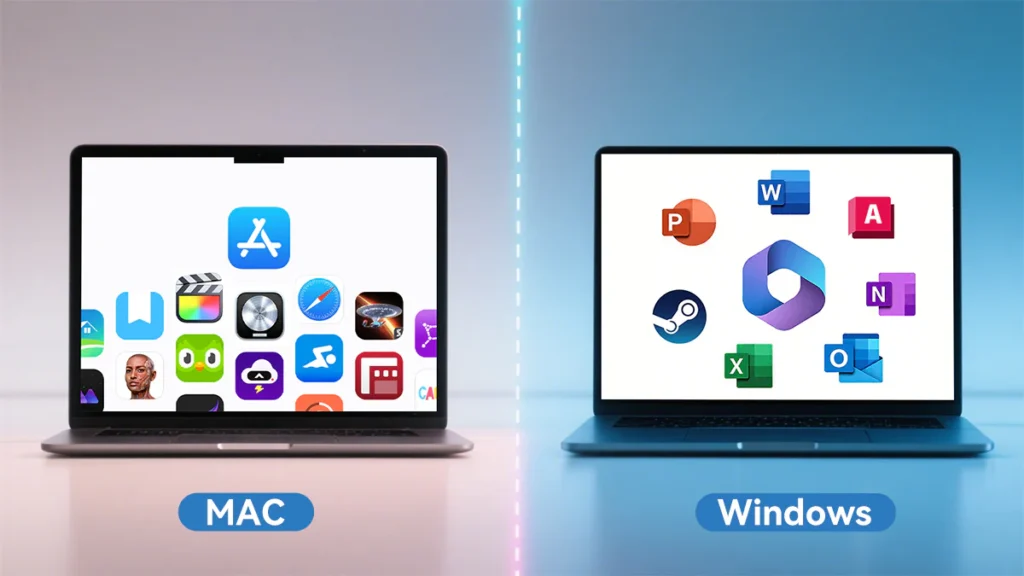
For the first time in years, the comparison is genuinely competitive across multiple categories. Windows laptops now offer Snapdragon X-based chips with mobile-architecture efficiency — closing the battery gap that Apple Silicon long owned exclusively. At the same time, Apple has expanded its lineup downward in price, putting Mac hardware in direct competition with mainstream Windows machines for the first time.
This comparison tests both ecosystems at two distinct price points: budget ($600) using the MacBook Neo against the HP Omnibook 5, and pro ($4,500) using the MacBook Pro against the Asus ProArt P16. Twelve categories were evaluated, from unboxing through to a live drop test.
Why Does the Mac vs Windows Choice Matter More Than Ever in 2026?
The Mac vs Windows choice in 2026 matters more than in previous years because the performance, price, and feature gaps between the two ecosystems have narrowed significantly — making the wrong choice more costly and the right choice harder to identify without systematic comparison.
Laptop purchases are long-term commitments. The average consumer keeps a laptop for three to five years — Source: Consumer Technology Association, 2024. A decision made on incomplete or outdated information locks buyers into years of potential frustration, whether that means limited port selection, insufficient battery life, or software incompatibility with professional workflows.
Moreover, the specifications on a retail page can be actively misleading. A Windows laptop may list double the RAM and storage of a MacBook at the same price — technically accurate, but potentially irrelevant if the underlying chip architecture means the MacBook completes the same tasks faster. Understanding what the numbers actually mean in daily use is the core value of a systematic comparison.
How Do Mac and Windows Compare on Build Quality and Durability?
Build quality is one of the clearest differentiators between Mac and Windows laptops in 2026, with Apple maintaining a consistent advantage at both budget and pro tiers in terms of materials, hinge stability, and structural rigidity.
Budget Tier: MacBook Neo vs HP Omnibook 5
At the $600 level, the build quality gap is substantial. The MacBook Neo is machined from a single block of aluminium — a construction method that produces a chassis with no flex, no creak, and a hinge that requires meaningful force to open or close. The HP Omnibook 5, by contrast, uses aluminium selectively, with the majority of user-facing surfaces being plastic. The result is visible and tactile: the HP body flexes and produces audible creaking under moderate pressure.
For users who carry their laptop daily, or who work in environments where hardware takes incidental physical stress, this distinction is not cosmetic — it directly affects longevity.
Pro Tier: MacBook Pro vs Asus ProArt P16
At $4,500, Windows closes the gap but does not eliminate it. The Asus ProArt P16 carries military-grade protection certification and performs noticeably better structurally than the HP. However, its underside remains plasticky to the touch, and its hinge allows more wobble than the MacBook Pro, whose lid stays precisely where placed when opened.
Drop Test Results
A live drop test from desk height produced the following outcomes:
| Laptop | Drop Result |
|---|---|
| MacBook Neo | Hinge displaced, lid misaligned — screen intact and functional |
| HP Omnibook 5 | Dead on impact — non-functional |
| MacBook Pro | No longer closes completely flat — screen shattered |
| Asus ProArt P16 | Screen shattered — display non-functional |
The MacBook Neo was the only laptop to remain functional after the drop, earning the sole point in the durability category. Its survival despite hinge damage is a notable result given its price tier.
Also Read:
Which Is Faster in 2026: Mac or Windows?
MacBooks are significantly faster than Windows laptops at equivalent price points in 2026, based on both synthetic benchmarking and real-world task testing — despite specifications sheets showing Windows machines with more RAM and storage.
Boot Speed and Multitasking
In timed testing from fully powered off to ready-to-use, the MacBook Pro completed the sequence faster than all other tested laptops by a clear margin. In a multitasking test involving 20 open browser tabs, an active Zoom call, and the simultaneous opening of a large Excel spreadsheet, the MacBook Pro again outperformed every other device by a significant margin.
Importantly, the MacBook Neo’s 8GB of RAM did not cause performance degradation in these tests. Despite having half the RAM of the HP Omnibook 5, the Neo completed multitasking tasks at a comparable speed — suggesting Apple Silicon’s unified memory architecture compensates for the raw capacity difference in typical use cases.
Geekbench 6 CPU Results
Geekbench 6 simulates real-world CPU workloads including background blurring in video calls and photo library organisation. Results were as follows:
| Laptop | Geekbench 6 Single-Core | vs Windows Equivalent |
|---|---|---|
| MacBook Pro ($4,500) | Significantly higher | +53% vs Asus ProArt P16 |
| MacBook Neo ($600) | Significantly higher | +70% vs HP Omnibook 5 |
The performance advantage of Apple Silicon is most pronounced at the budget tier, where the gap widens to approximately 70 percent. This is the strongest single data point in favour of Mac for users who prioritise CPU-intensive tasks.
How Does Battery Life Compare Between Mac and Windows in 2026?
Battery life results in 2026 are more nuanced than a simple Mac-wins verdict — Windows has closed the gap at the budget tier significantly, while Mac maintains the advantage at the pro level.
Battery Test Methodology
Each laptop was fully charged and run through a controlled loop of YouTube video playback, light gaming, and video editing until depletion. Results were as follows:
| Laptop | Battery Life |
|---|---|
| HP Omnibook 5 (Windows, $600) | 8 hours 8 minutes |
| MacBook Neo (Apple, $600) | ~5 hours 26 minutes |
| MacBook Pro (Apple, $4,500) | 5 hours 20 minutes |
| Asus ProArt P16 (Windows, $4,500) | 4 hours 16 minutes |
The HP Omnibook 5 won the battery test decisively, lasting over two and a half hours longer than the MacBook Neo. This result is attributable to its Snapdragon X chip — a mobile-architecture processor that, like Apple Silicon, prioritises power efficiency. The combination of a large battery and an efficient chip produces the strongest battery life result in the comparison.
At the pro tier, the situation reverses. The Asus ProArt P16’s RTX 5090 dedicated graphics card draws substantial power even during non-GPU workloads, producing the shortest battery life of the four tested devices at just over four hours.
Mac vs Windows: Display, Ports, and Everyday Usability
Display
Display outcomes split by price tier. At the budget level, the MacBook Neo’s LCD panel — while less vibrant than the HP’s OLED — offers 500 nits brightness versus the HP’s 300 nits, 50 percent more pixels, and more accurate colour reproduction for content creators. The HP’s OLED panel is punchier but less bright and less colour-accurate for professional use cases.
At the pro tier, the Asus ProArt P16 wins clearly: its 4K OLED touchscreen with high brightness and professional colour accuracy surpasses the MacBook Pro’s display on raw visual specifications.
Ports
Windows provides more ports at the budget tier; Mac provides better ports at the pro tier. The HP Omnibook 5 includes a full-size USB-A, two USB-C ports (all USB 3.2), and a headphone jack. The MacBook Neo offers two USB-C ports and a headphone jack — one of the USB-C ports operates at the slower USB 2 standard.
At the pro tier, the MacBook Pro’s Thunderbolt 5 ports — each capable of driving two 8K displays simultaneously — represent a higher-specification connectivity solution than the Asus’s mixed-standard port array. MagSafe charging also provides a meaningful practical safety advantage over standard barrel or USB-C charging cables.
Call Quality and Input Experience
MacBooks lead on webcam quality, microphone quality, keyboard feel, and trackpad precision at both price points. The MacBook Neo’s lack of keyboard backlighting is the one clear input experience deficit. The MacBook Pro’s six-speaker audio system scored 9/10 versus 8/10 for the Asus ProArt in direct listening comparison.
Mac vs Windows for Gaming and Software in 2026
Windows is the superior platform for gaming in 2026, and this advantage is not narrow. The combination of the RTX 5090 dedicated GPU in the Asus ProArt P16 and the breadth of Windows-optimised game titles creates a gaming experience that MacBooks cannot currently match, regardless of price.
Beyond gaming, Windows offers broader software compatibility for specialist professional applications, wider peripheral support, and greater system customisation. For users whose workflows depend on specific Windows-only software, the choice is effectively made before any other category is evaluated.
Apple’s software advantages are real but narrower: ecosystem integration with iPhone (AirDrop, universal clipboard) and a more consistent, stable end-to-end experience with fewer driver conflicts or random performance degradation. During testing, the Asus ProArt P16 experienced a complete left-click failure mid-session — the kind of hardware-software interaction issue that Apple’s vertically integrated architecture makes structurally less likely.
Which Tools Help You Choose Between Mac and Windows?
Several free resources help buyers make an informed Mac vs Windows decision without relying on spec sheets alone.
- Geekbench Browser (free at browser.geekbench.com) — Search any laptop model to find independently submitted benchmark scores and compare them directly against alternatives you’re considering.
- Notebookcheck.net (free) — Provides standardised display measurements, battery test results, and thermal performance data across thousands of laptop models reviewed under consistent conditions.
- Apple’s Mac compatibility checker — Verifies whether specific professional applications run natively on Apple Silicon before purchase.
- PCMag Laptop Finder — Filter by operating system, price, use case, and key specifications to narrow the field based on your specific priorities.
For buyers already deep in the Apple ecosystem — iPhone users, iCloud subscribers, existing Mac owners — the integration dividend is a real productivity factor that does not appear in any benchmark but accrues daily. For users who game, run Windows-only software, or need maximum storage and RAM for the price, Windows remains the rational choice despite losing more head-to-head categories.
What Should You Do Next Before Buying a Mac or Windows Laptop in 2026?
The most important next step before purchasing is to map your actual workflow against the categories where each platform wins — because the aggregate score (Mac 10, Windows 7 at budget; Mac 10, Windows 6 at pro) masks meaningful per-category variation.
Follow this decision process:
- List your three most demanding daily tasks. If they include gaming or Windows-only software, Windows is likely your answer regardless of other factors.
- Check your storage and RAM needs honestly. If you regularly work with large video files, 3D models, or virtual machines, the Windows storage advantage at equal price is meaningful.
- Test the trackpad and keyboard in person if possible. Input experience is a daily interaction — subjective feel matters more here than in most other categories.
- Run your key applications on Apple Silicon compatibility checkers if considering Mac. Most professional software now runs natively, but exceptions exist.
- Factor in ecosystem. If you use an iPhone and iCloud daily, the Mac integration dividend is real and compounds over time.
- Consider the total cost of ownership. Apple’s MagSafe charger is included. Mac does not include a charger in EU/UK markets — factor that cost in.
Conclusion
In 2026, MacBooks win the head-to-head comparison at both budget and pro tiers — but the margin is meaningful only if the categories Mac wins in are the ones that matter to you. Performance, build quality, call quality, keyboard and trackpad experience, and day-to-day software stability all favour Mac. Battery life at the budget tier, storage and RAM value, gaming, display at the pro tier, and broad software compatibility all favour Windows.
The honest verdict: if you work primarily in a browser, office suite, and creative applications — and use an iPhone — buy the Mac. If you game, need specialist software, or want the maximum raw specifications for your budget, buy Windows. Neither choice is wrong. Both choices are defensible. The key is knowing which categories matter to your actual life before the money leaves your account.